


Geset 112 Bottom Labelling System
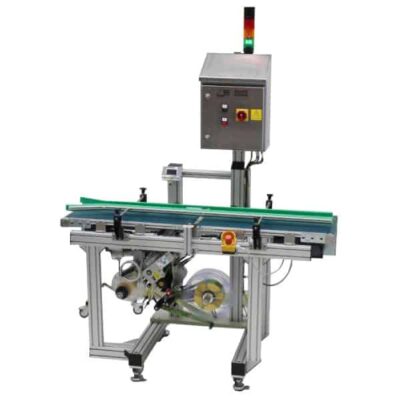
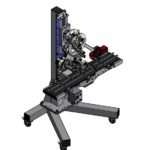
The Geset 112 labelling system is used to label square products on the bottom side automatically. Depending on the type and dimension of the product, different label sizes are used. The products are fed manually or by a conveying system provided by the customer at an infeed passage on the labelling system. Care should be taken on accurate alignment of the products. It is essential that the products are forwarded separately to the applicator with a gap between each other.
When the light barrier is reached, an application trigger is tripped. The label applicator applies then in Wipe On procedure a label onto the product. The label on bottom side is pushed on the product by the self-weight of the product. After labelling the products move on and can be removed from conveyor by the customer.
-
-
- Labelling at bottom side of square products.
- System on rolls and rubber feet.
- Robust aluminium frame.
- Simple unmistakable operation by buttons.
- Speed of base conveyor can be adjusted by frequency converter.
- Proven and reliable applicator technique provided by Alpha Compact, 150mm label width.
- Performances of up to 100 products per minute are possible.
-
Adobe Reader is required to open and view PDF files. This can be downloaded free from adobe.com.
Available Documents
Geset 112 Instruction ManualGeset 112 Technical Information
Geset 112 Computer Assisted Design
Markoprint Integra One
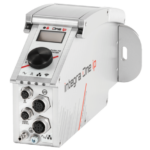
Labeling systems are not always easy to integrate into preexisting production lines. The Markoprint Integra One can be easily integrated into production processes thanks to its compact dimensions of 186 x 86 x 98 mm. The printing system has a display for data entry as well as system settings modification and verification. This information can also be viewed from mobile devices if the WLAN version is selected.
Inkjet printers should be properly protected if they are subjected to harsh manufacturing circumstances. In addition, the Markoprint integra One ip has an IP 65 protection rating. As a result, it’s ideal for use in the food industry.
View ProductMarkoprint Shutter Printhead HP
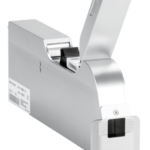
Inkjet nozzles can clog and dry up in a dusty printing environment, which is typical in wood-processing enterprises and other sectors. This results in poorly printed images. Our Markoprint Shutter Printhead HP prevents dust from entering the ink cartridge or gathering on the nozzles. During a production halt, the printhead automatically retracts the cartridge and shuts the open nozzle plate. After being paused for even several days, it is instantly ready to print again.
View ProductMarkoprint Integra Ultimate
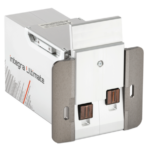
The innovative Integra Ultimate thermal inkjet printer not only provides IP65 protection against dust and moisture, but it also closes and cleans the nozzle plate at each pause. This system ensures that the printing is always clean, with faultless results even after extended breaks. As a result, the ink cartridges’ open times are multiplied many times. Two HP Class thermal inkjet ink cartridges can be used with the print head. As a result, the system produces beautiful prints with a maximum height of 25 mm.
View ProductGeset 111 Top Labelling System
The Geset 111 labelling system is used to label square products on the top side automatically. Depending on the type and dimension of the product, different label sizes are used. The products are fed manually or by a conveying system provided by the customer at an infeed passage on the labelling system. Care should be taken on accurate alignment of the products. It is essential that the products are forwarded separately to the applicator with a gap between each other.
When the barrier is reached, an application trigger is tripped. The label applicator applies a label on the product in Wipe On procedure. The label on the top side is pushed on to the product by a brush or roller. After labelling, the products move on and can be removed from the conveyor by the customer.
View Product










