


Geset 141 Semi Automatic Label Dispenser
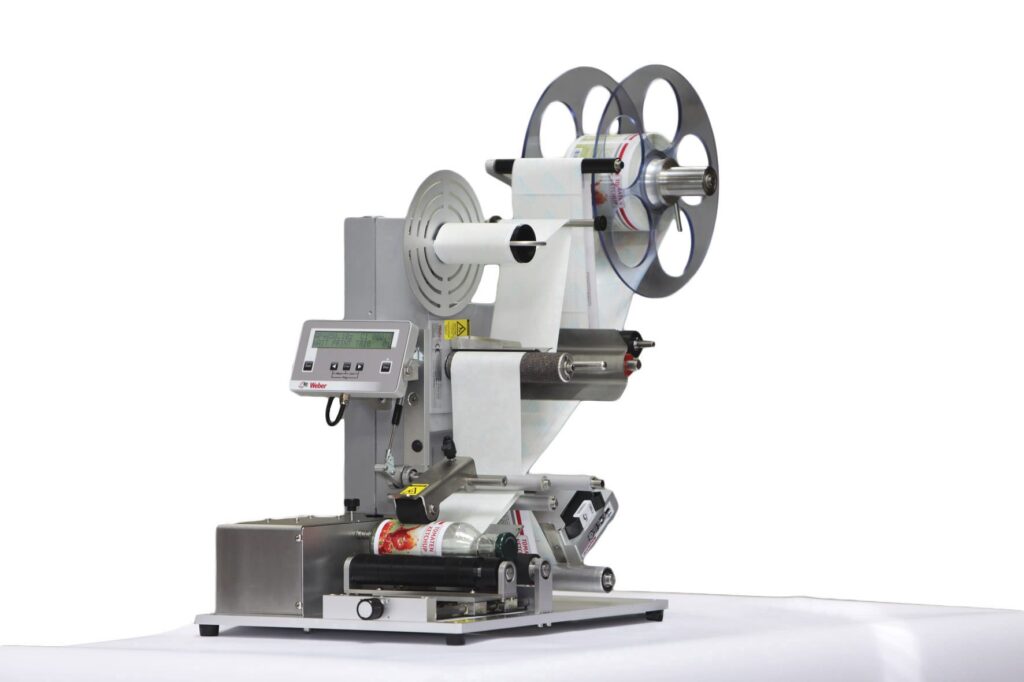
The Geset 141 semi-automatic all-round labelling system is used for labelling small tins, bottles, jars etc. This solution was developed especially for companies requiring flexible labelling of small batches. Classical applications include the pharmaceutical and cosmetics industry and the food and beverage sector.
-
- All-round labelling of unstable when standing, lying and cylindrical products
-
- Desktop design
-
- Short batch change setting-up times
-
- Segmented pressure rollers enable processing of products with protruding edges
-
- Simple, clear operation via multi-language user display
-
- Simple optional integration of printing systems
-
- Multiple dispensing per product with variable spacing between two labels possible
Adobe Reader is required to open and view PDF files. This can be downloaded free from adobe.com.
Available Documents
Geset 141 Technical InformationGeset 141 Instructions Manual
Geset 141 Spare Parts Manual
PLUSMARK – Premium Wax
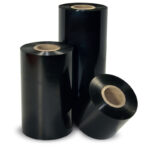
PLUSMARK is the high performance wax ribbon from Weber. It offers all
the benefits of a general purpose wax ribbon with an improved print durability
and a capability to print on synthetic label materials.
Zebra FS70 Fixed Industrial Scanner
Today more than ever, the increasing demands of international commerce and its global supply chain are pressuring companies to deliver more — and to do it faster. From manufacturing to logistics to the end customer, success is driven by the ability to quickly move and track the products that drive your business.
The FS70 Fixed Industrial Scanner is your configurable and customisable solution. Easily keep pace with your business, enabling quality control and track-and-trace of every part and package as it moves through production, storage and fulfilment. Whether you need a high-powered lens to read a very small barcode from a long distance, or a wide-angle lens to capture barcodes on extremely large parts, the FS70 addresses it all. C-mount external lenses allow you to achieve the working range and field of view your application and environment requires. And compatibility with virtually any external lighting solution ensures reading of the most challenging barcodes — even low-contrast direct part marks or those printed on curved or reflective surfaces. The result? Best-in-class production, warehousing, distribution and logistics processes that inspire your business to reach its highest potential.
View Product
Markoprint Integra PP RAZR
Experience Effortless High-Resolution Printing: Introducing the Integra PP RAZR with Cutting-Edge Technology. Print Up to 34mm High on Virtually Any Product Surface with Ease. Be Amazed by the Permanent Print Head’s Impressive Resolution, Lightning-Fast Speed, and Integrated Redundancy. Plus, its Compact Design Ensures Seamless Placement in Any Production Facility.
View ProductMarkoprint Integra Vivid
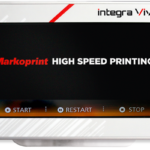
Unleash the Power of Modern Touch Operating Technology and an Innovative Swipe User Interface. Say Goodbye to Complicated Print Jobs and Say Hello to Effortless Operation of X1JET and PP Class Printing Systems. With the Freedom to Position the 7” High-Resolution HMI Color Display Anywhere You Choose, Prepare to Be Awed by the Ultimate Printing Flexibility and Innovation. Upgrade to integra Vivid Today and Embrace a New Era of Printing Excellence.
View Product










