
Weber Alpha Compact Applicator
The new Alpha Compact label dispenser now sports a new design with increased performance and higher application rates and is even simpler to operate than its tested and proven predecessors. As always, this system applies quickly and accurately pre-printed labels onto products and packaging in conjunction with various applicator units. The newly integrated controller now renders the […]
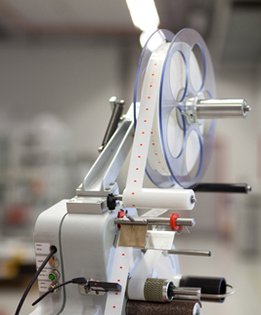
The new Alpha Compact label dispenser now sports a new design with increased performance and higher application rates and is even
simpler to operate than its tested and proven predecessors. As always, this system applies quickly and accurately pre-printed labels onto products and packaging in conjunction with various applicator units.
The newly integrated controller now renders the Alpha Compact particularly space-saving and optimal to operate. Using a conventional PC with USB interface, different labeling parameters as well as functions like start and stop, single label feed, speed control and sensor calibration can now be entered and stored in the Alpha Compact.
Data and information backup and convenient transfer of dispenser parameters to other Alpha Compact systems is truly simple now. The changeover of labeling orders in conjunction with system controller can now become automatic.
Unsupported connections to existing system controllers are also possible and provided. Stored parameters and jobs can be called up from extensive internal data storage and can also be edited and used for different labeling jobs. A second miniature controller enables 1:1 labeling and simulates the well-known Alpha series (2 rotary and 4 push buttons) input unit, proven a thousand times over.
Adobe Reader is required to open and view PDF files. This can be downloaded free from adobe.com.
Available Documents
Printer_Applicator_Solutionsweber-alpha-compact-product-sheet
Markoprint Integra One ip LX
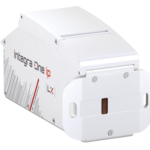
Unleash the Power of Proven Washdown Technology (IP Protection) for Seamless Performance in Complex and Demanding Applications. Experience High-Speed Printing and Effortless Operation with Up to 10 mm Print Distance. Discover Impressive Innovations, including a Patented Mechanism for Secure Ink/Printhead Unit Hold, Setting a New Standard in Printing Excellence.
View ProductMarkoprint Integra PP 108
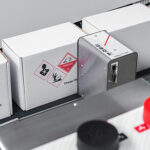
The Markoprint Integra PP108 is the first inkjet printer with SEIKO printing technology and a circulating ink system. It features a POZIFLOW circulating ink system which prevents the accumulation of air in the nozzles and ensures a permanent, clean print image without missing print due to blocked nozzles. The system’s ink tank can be installed above, below, or at the same height as the print head without any problems. The new SEIKO printhead has a print height of 108 mm and achieves a remarkable speed of up to 150 meters per minute with a high resolution of 360 dpi.
Suited to Dual Colour Printing Applications such as Hazard Labelling, Dual Colour overprinting and Direct Printing Applications to corrugate, and web printing applications, the PP108 is the latest high end, economical Inkjet System using the latest Drop on Demand Printing Technology.
View ProductPLUSMARK – Premium Wax
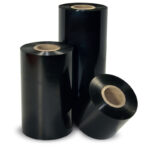
PLUSMARK is the high performance wax ribbon from Weber. It offers all
the benefits of a general purpose wax ribbon with an improved print durability
and a capability to print on synthetic label materials.
ULTRAPRINT – High durability resin
ULTRAPLATE is the standard resin ribbon from Weber. It is dedicated to
applications requiring a perfect printing quality and excellent mechanical
resistances. Its high versatility (it also prints on coated papers) and its
performances (sharpness, printing speed) have resulted in making
ULTRAPLATE a market reference.