


ZD420 RIBBON CARTRIDGE DESKTOP THERMAL PRINTERS
Fast 4-inch thermal printers that are easy to use, easy to deploy and easy to manage, then choose the ZD420. Daily operation couldn’t be simpler, thanks to a new ribbon cartridge with more status icons
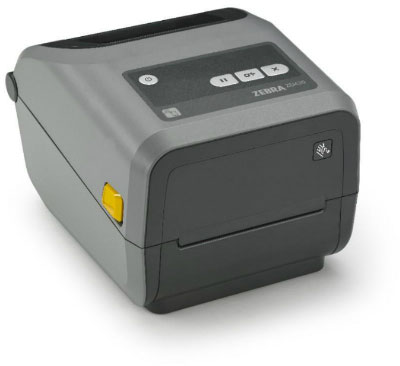
INNOVATIVE TIME-SAVING RIBBON CARTRIDGE FOR FOOL-PROOF LOADING
Virtually every modern wired and wireless connectivity option, and support for many printer languages, deployment is always fast and easy.
Add new connectivity and media handling options whenever you need them, right on site. And, cloud-based Link-OS drives management time down and return on investment up. Use the ZD420 thermal printers when ease of use, flexibility and management simplicity matter.
ZD420 Ribbon Cartridge Printer
EASY TO REPLACE CARTRIDGE
In addition to the innovative ribbon cartridge, on-site upgrades and just about every modern wired and wireless connectivity option, the ZD420 also comes with Link-OS. This unique software platform greatly reduces time spent integrating, managing and troubleshooting all of your printers — making your thermal printers more cost effective than ever.
Adobe Reader is required to open and view PDF files. This can be downloaded free from adobe.com.
Available Documents
ZD420 4-Inch Thermal Transfer PrinterGeset 117 Top and Bottom Labelling System
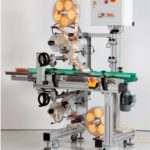
The Geset 117 labelling system is used to label square products on the top and bottom side automatically. Depending on the type and dimension of the product, different label sizes are used. The products are fed manually or by a conveying system provided by the customer at an infeed passage on the labelling system. Care should be taken on accurate alignment of the products. It is essential that the products are forwarded separately to the applicator with a gap between each other.
When the light barrier is reached, an application trigger is tripped. Both label applicators apply then in Wipe On procedure a label onto the product. The label on top side is pushed on the product by a brush or roller. The label on bottom side is pushed on the product by the self-weight of the product. After labelling the products move on and can be removed from conveyor by the customer.
View ProductZebra FS10 Fixed Industrial Scanner
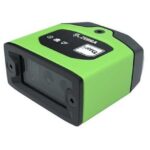
A Quick & Compact Scanning Solution
The increasing demands on international commerce and its global supply chain are pressurising businesses to deliver more and deliver faster. From manufacturing to logistics to the end customer, success is driven by the ability to move quickly and track the products that drive your business.
Now you can address it all with the compact Zebra FS10 Fixed Industrial Scanner. With a slim profile, the FS10 fits easily everywhere you need scanning. Just plug the FS10 into the USB port of a workstation, laptop, tablet or any other host device to dependably capture barcode data, from assembly to storage and fulfilment.
View ProductMarkoprint Shutter Printhead HP
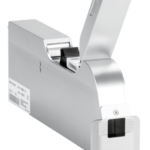
Inkjet nozzles can clog and dry up in a dusty printing environment, which is typical in wood-processing enterprises and other sectors. This results in poorly printed images. Our Markoprint Shutter Printhead HP prevents dust from entering the ink cartridge or gathering on the nozzles. During a production halt, the printhead automatically retracts the cartridge and shuts the open nozzle plate. After being paused for even several days, it is instantly ready to print again.
View ProductGeset 141 Semi Automatic Label Dispenser
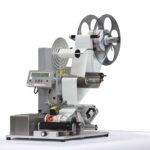
The Geset 141 semi-automatic all-round labelling system is used for labelling small tins, bottles, jars etc. This solution was developed especially for companies requiring flexible labelling of small batches. Classical applications include the pharmaceutical and cosmetics industry and the food and beverage sector.
View Product











