


Weber 114 One-Sided/Two-Sided Labelling System
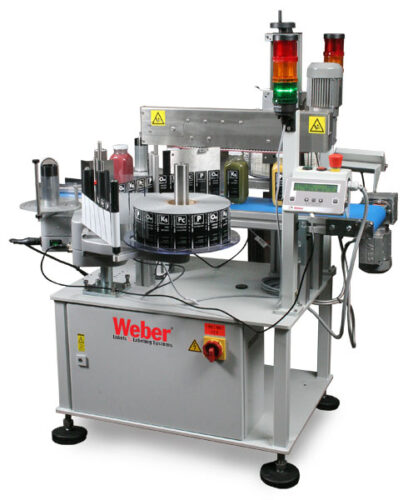
The brand-new Weber 114 system provides a simple, cost-effective solution to low volume labelling for applying labels to one or two sides of a straight-walled product or package. The Model 114 can be added to in-place production lines or operated manually as a stand-alone applicator.
The Weber 114 is easy to use and can be set-up quickly. During application, labels are peeled away from the liner and securely attached to products using the wipe-on label applicators.
The unit boasts robust steel construction making it perfect for lower-volume, intermittent labelling projects or multiple-shift larger-scale operations. This is a very reliable wipe-on application system that is built to last.
-
-
- Applies label up to 6″ high x 12″ long
-
-
-
- Handles up to 45 products/minute
-
-
-
- Placement accuracy of 0.03″
-
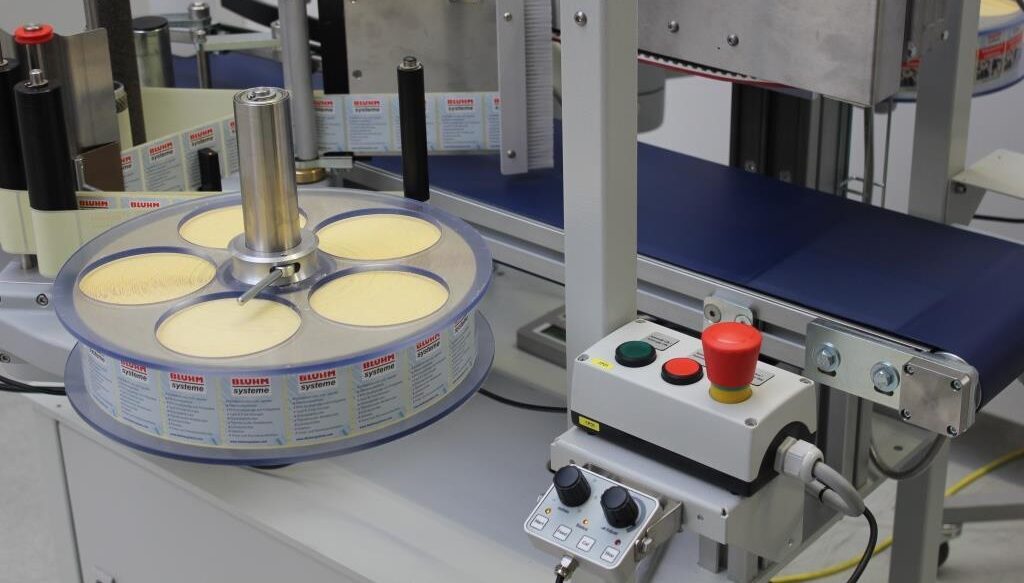
Each version of the Alpha Compact features rugged die-cast aluminium construction, single-key calibration, automatic recognition of missing labels, in-production speed adjustment and more.
The controller for the Weber 114 features a display HMI that replaces the operator’s panel with an LCD display that provides full access to all adjustment parameters.
Adobe Reader is required to open and view PDF files. This can be downloaded free from adobe.com.
Available Documents
Geset 114 Technical InformationGeset 114 Computer Assisted Design
Markoprint NonStop Printing
To enable continuous marking in ongoing production, our Markoprint NonStopPrinting printhead holds two alternately printing cartridges. Because the other ink cartridge is printing on the same position, each ink cartridge can be changed, cleaned, or serviced without pausing the machine.
An intelligent automatism prevents both cartridges from going empty at the same time. The first cartridge will always print two consecutive print jobs, taking turns with the second cartridge, which will only print one. This sophisticated automatism avoids both cartridges from running out at the same time. This will keep the ink from drying out in both cartridges. When the cartridge with the larger print volumes is empty, a warning will show, and the other cartridge will continue printing until it is replaced. The new cartridge will print the lower quantities to allow for you to replace the “older” cartridge. A sophisticated workflow that will boost your efficiency and productivity.
View ProductGeset 117 Top and Bottom Labelling System

The Geset 117 labelling system is used to label square products on the top and bottom side automatically. Depending on the type and dimension of the product, different label sizes are used. The products are fed manually or by a conveying system provided by the customer at an infeed passage on the labelling system. Care should be taken on accurate alignment of the products. It is essential that the products are forwarded separately to the applicator with a gap between each other.
When the light barrier is reached, an application trigger is tripped. Both label applicators apply then in Wipe On procedure a label onto the product. The label on top side is pushed on the product by a brush or roller. The label on bottom side is pushed on the product by the self-weight of the product. After labelling the products move on and can be removed from conveyor by the customer.
View ProductMarkoprint Integra PP RAZR
Experience Effortless High-Resolution Printing: Introducing the Integra PP RAZR with Cutting-Edge Technology. Print Up to 34mm High on Virtually Any Product Surface with Ease. Be Amazed by the Permanent Print Head’s Impressive Resolution, Lightning-Fast Speed, and Integrated Redundancy. Plus, its Compact Design Ensures Seamless Placement in Any Production Facility.
View ProductX1Jet HP Premium MK2

The innovative Markoprint X1JET HP inkjet printer codes absorbent and semi-absorbent surfaces quickly, accurately and reliably. It is designed for a different range of applications in the food and beverage industry as well as the chemical and pharmaceutical industry. The controller and printer are combined in one single unit, making the system extremely compact.
View Product










