


Touch-Screen Label Print Station
Weber’s Elo Touch-Screen Print Station provides a compact, simple solution to selecting various label formats and then printing them using Weber label printer-applicators or tabletop label printers in virtually any production environment.
The Print Station is a stand-alone computer that allows you to set-up a control station for your labelling system that features a user-friendly touch-screen for easy operation by your personnel.
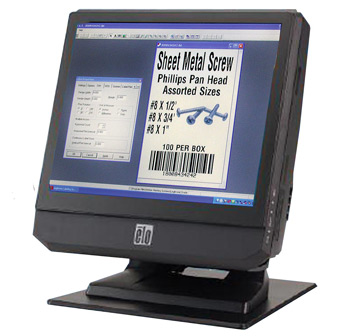
Touch-Screen Print Station

The 15″ LCD print station comes preloaded with Weber’s exclusive Legitronic® Labelling Software, a user- friendly package that makes it easy to format labels with alphanumeric text, bar codes and graphic images. In addition, the unit includes custom front-end software that permits operators to use the touch-screen to choose and print those formats.
The Legitronic software program works in the background, enabling the operator to see a simple front-end screen to select a specific label format, choose a printing system, and pick the quantity of labels to be printed. Variable data – if required – can be entered into a label format by using an on-screen keyboard.
Weber’s touch-screen print station has a compact design with a choice of configuration and connectivity options. This quiet, fan less unit also is easy to service.

Features
- Small footprint, 15″ LCD touch-screen print station
•Weber software is pre-installed
• Fan less operation for quiet environments
• Full range of standard connectivity ports
• Stable stand with tilt able display
Adobe Reader is required to open and view PDF files. This can be downloaded free from adobe.com.
Available Documents
touch-screen-print-stationMarkoprint Shutter Printhead HP
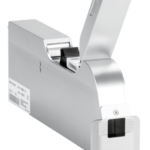
Inkjet nozzles can clog and dry up in a dusty printing environment, which is typical in wood-processing enterprises and other sectors. This results in poorly printed images. Our Markoprint Shutter Printhead HP prevents dust from entering the ink cartridge or gathering on the nozzles. During a production halt, the printhead automatically retracts the cartridge and shuts the open nozzle plate. After being paused for even several days, it is instantly ready to print again.
View ProductMarkoprint Integra PP 108
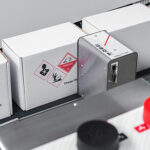
The Markoprint Integra PP108 is the first inkjet printer with SEIKO printing technology and a circulating ink system. It features a POZIFLOW circulating ink system which prevents the accumulation of air in the nozzles and ensures a permanent, clean print image without missing print due to blocked nozzles. The system’s ink tank can be installed above, below, or at the same height as the print head without any problems. The new SEIKO printhead has a print height of 108 mm and achieves a remarkable speed of up to 150 meters per minute with a high resolution of 360 dpi.
Suited to Dual Colour Printing Applications such as Hazard Labelling, Dual Colour overprinting and Direct Printing Applications to corrugate, and web printing applications, the PP108 is the latest high end, economical Inkjet System using the latest Drop on Demand Printing Technology.
View ProductZebra FS70 Fixed Industrial Scanner
Today more than ever, the increasing demands of international commerce and its global supply chain are pressuring companies to deliver more — and to do it faster. From manufacturing to logistics to the end customer, success is driven by the ability to quickly move and track the products that drive your business.
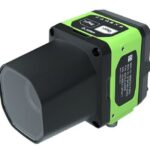
The FS70 Fixed Industrial Scanner is your configurable and customisable solution. Easily keep pace with your business, enabling quality control and track-and-trace of every part and package as it moves through production, storage and fulfilment. Whether you need a high-powered lens to read a very small barcode from a long distance, or a wide-angle lens to capture barcodes on extremely large parts, the FS70 addresses it all. C-mount external lenses allow you to achieve the working range and field of view your application and environment requires. And compatibility with virtually any external lighting solution ensures reading of the most challenging barcodes — even low-contrast direct part marks or those printed on curved or reflective surfaces. The result? Best-in-class production, warehousing, distribution and logistics processes that inspire your business to reach its highest potential.
View Product
Markoprint Integra One
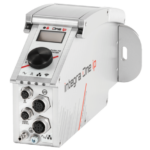
Labeling systems are not always easy to integrate into preexisting production lines. The Markoprint Integra One can be easily integrated into production processes thanks to its compact dimensions of 186 x 86 x 98 mm. The printing system has a display for data entry as well as system settings modification and verification. This information can also be viewed from mobile devices if the WLAN version is selected.
Inkjet printers should be properly protected if they are subjected to harsh manufacturing circumstances. In addition, the Markoprint integra One ip has an IP 65 protection rating. As a result, it’s ideal for use in the food industry.
View Product










