


Retail Software
Retail Mobile Solutions Whether you are looking for an online, fully integrated solution or a simple office solution, Weber makes moving to a modern mobile logistic and sales-assistant solution easy. The retail software solution gives your stores new and more efficient ways handle logistics and support your customers shopping. Retail Mobile Logistics Solutions Inventrory […]
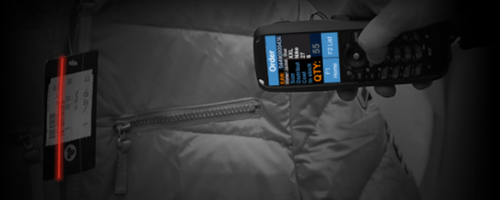
Retail Mobile Solutions
Whether you are looking for an online, fully integrated solution or a simple office solution,
Weber makes moving to a modern mobile logistic and sales-assistant solution easy. The retail software solution
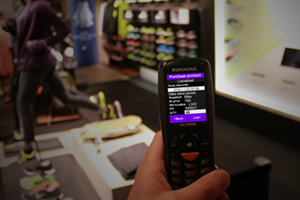 gives your stores new and more efficient ways handle logistics and support your customers shopping.
Retail Mobile Logistics Solutions
Inventrory counting app are the most common in Retail
Here are some more examples of where mobile solutions are used in Retail:
– Reciving goods app
– Price and shelf label printing app
– Order products from suppliersa app
– Move good from one store to another app
– Reciving goods app
– Mobile store sales assistant app
– Que busting app
Adobe Reader is required to open and view PDF files. This can be downloaded free from adobe.com.
Available Documents
software-brochureZebra FS20 Fixed Industrial Scanner
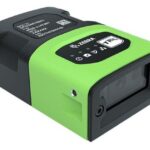
An Easily Integratable Scanning Solution
The increasing demands of international commerce and its global supply chain are pressuring companies to deliver more — and to do it faster. From manufacturing to logistics to the end customer, success is driven by the ability to quickly move and track the products that drive your business.
Address it all with the compact Zebra FS20 Fixed Industrial Scanner. With the FS20, it’s easy to track and trace every item as it moves through production, storage and fulfilment. Scan barcodes on components moving through your assembly line to ensure the right part is used at the right time — and enable rapid targeted recalls of products that contain defective parts. Scan barcodes on items as they are placed on warehouse shelves to provide visibility into real time inventory. And scan barcodes when fulfilling orders to ensure the right items are sent to the right customer. Whatever you want to track and trace, the FS20 makes it easy.
View ProductMarkoprint Integra Vivid
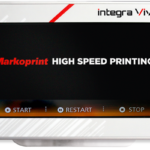
Unleash the Power of Modern Touch Operating Technology and an Innovative Swipe User Interface. Say Goodbye to Complicated Print Jobs and Say Hello to Effortless Operation of X1JET and PP Class Printing Systems. With the Freedom to Position the 7” High-Resolution HMI Color Display Anywhere You Choose, Prepare to Be Awed by the Ultimate Printing Flexibility and Innovation. Upgrade to integra Vivid Today and Embrace a New Era of Printing Excellence.
View ProductZebra FS70 Fixed Industrial Scanner
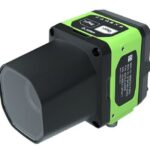
Today more than ever, the increasing demands of international commerce and its global supply chain are pressuring companies to deliver more — and to do it faster. From manufacturing to logistics to the end customer, success is driven by the ability to quickly move and track the products that drive your business.
The FS70 Fixed Industrial Scanner is your configurable and customisable solution. Easily keep pace with your business, enabling quality control and track-and-trace of every part and package as it moves through production, storage and fulfilment. Whether you need a high-powered lens to read a very small barcode from a long distance, or a wide-angle lens to capture barcodes on extremely large parts, the FS70 addresses it all. C-mount external lenses allow you to achieve the working range and field of view your application and environment requires. And compatibility with virtually any external lighting solution ensures reading of the most challenging barcodes — even low-contrast direct part marks or those printed on curved or reflective surfaces. The result? Best-in-class production, warehousing, distribution and logistics processes that inspire your business to reach its highest potential.
View Product
Geset 112 Bottom Labelling System
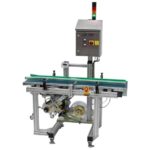
The Geset 112 labelling system is used to label square products on the bottom side automatically. Depending on the type and dimension of the product, different label sizes are used. The products are fed manually or by a conveying system provided by the customer at an infeed passage on the labelling system. Care should be taken on accurate alignment of the products. It is essential that the products are forwarded separately to the applicator with a gap between each other.
When the light barrier is reached, an application trigger is tripped. The label applicator applies then in Wipe On procedure a label onto the product. The label on bottom side is pushed on the product by the self-weight of the product. After labelling the products move on and can be removed from conveyor by the customer.
View Product










