


X2Jet Touch
The particularly compact and cost-effective X2JET Plus System is ideal for the foodstuffs, chemicals, building materials, and pharmaceutical industries. This innovative system marks absorbent and semi-absorbent surfaces – fast, accurately and reliably. The touchscreen interface and animated graphics makes it user-friendly and easy-to-use. Using a USB stick, data transfer is simple and reliable.
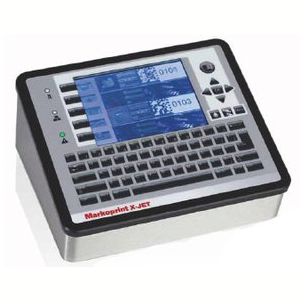
X2JET Touch
Intelligent, high-speed control system for demanding marking applications. Three printing technologies can be controlled simultaneously.
-
-
-
- Touch-screen to operate the system simply
-
-
-
-
-
- Parallel operation using a standard keypad and function keys
-
-
-
-
-
- Networking possibilities using TCP/IP, USB and EIA232
-
-
-
-
-
- Possibility of printing on up to two production lines
-
-
-
-
-
- Simultaneous marking of primary and secondary packaging using a controller
-
-
-
-
-
- System prints with true typeface
-
-
-
-
-
- All 1 & 2 dimensional barcodes can be printed
-
-
Adobe Reader is required to open and view PDF files. This can be downloaded free from adobe.com.
Available Documents
X2Jet PlusInk Guide 2015
Inkjet Coding Overview Brochure
Markoprint Integra PP 108
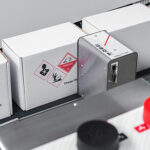
The Markoprint Integra PP108 is the first inkjet printer with SEIKO printing technology and a circulating ink system. It features a POZIFLOW circulating ink system which prevents the accumulation of air in the nozzles and ensures a permanent, clean print image without missing print due to blocked nozzles. The system’s ink tank can be installed above, below, or at the same height as the print head without any problems. The new SEIKO printhead has a print height of 108 mm and achieves a remarkable speed of up to 150 meters per minute with a high resolution of 360 dpi.
Suited to Dual Colour Printing Applications such as Hazard Labelling, Dual Colour overprinting and Direct Printing Applications to corrugate, and web printing applications, the PP108 is the latest high end, economical Inkjet System using the latest Drop on Demand Printing Technology.
View ProductMarkoprint Integra Quadro/Quadro²
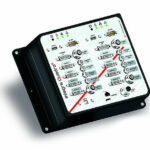
The new Markoprint Integra Quadro/Quadro² print controller can control up to four inkjet printers or four print positions at the same time. This allows you to print on both sides of primary and secondary packaging on one or two separate production lines. There are also two separate printing methods that can be used in this process.
The Markoprint Integra Quadro/Quadro² can easily cope with limited space thanks to its slender design. Installation inside or directly at the industrial line is straightforward thanks to the different fixation options. It was designed specifically for installation in control panels and machinery.
View ProductMarkoprint Integra Vivid
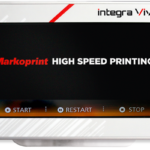
Unleash the Power of Modern Touch Operating Technology and an Innovative Swipe User Interface. Say Goodbye to Complicated Print Jobs and Say Hello to Effortless Operation of X1JET and PP Class Printing Systems. With the Freedom to Position the 7” High-Resolution HMI Color Display Anywhere You Choose, Prepare to Be Awed by the Ultimate Printing Flexibility and Innovation. Upgrade to integra Vivid Today and Embrace a New Era of Printing Excellence.
View ProductMarkoprint Integra Ultimate
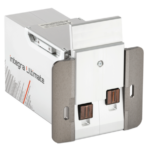
The innovative Integra Ultimate thermal inkjet printer not only provides IP65 protection against dust and moisture, but it also closes and cleans the nozzle plate at each pause. This system ensures that the printing is always clean, with faultless results even after extended breaks. As a result, the ink cartridges’ open times are multiplied many times. Two HP Class thermal inkjet ink cartridges can be used with the print head. As a result, the system produces beautiful prints with a maximum height of 25 mm.
View Product










