


Zebra GK420
Zebra’s GK™ Series and GT800 desktop printers combine dependable printing with fast print speeds and network manageability. With their easy-to-use design, Zebra’s advanced desktop printers enable you to improve operational efficiencies.
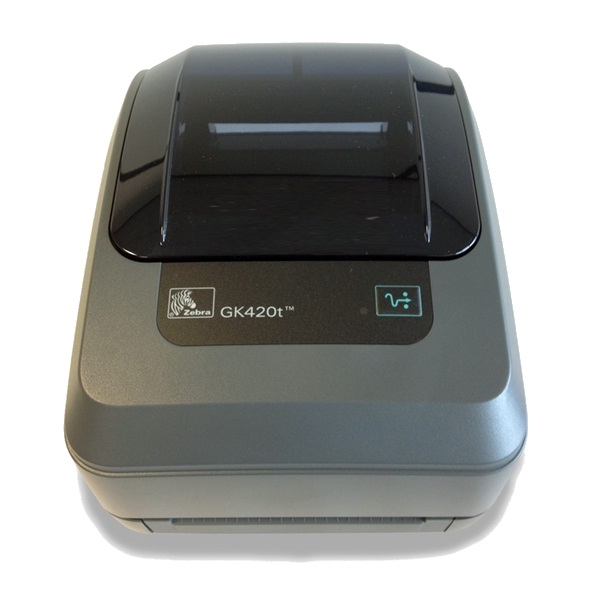
DEPENDABLE PERFORMANCE TO IMPROVE OPERATIONAL EFFICIENCIES
The top selling desktop printer in the world, the GK420 provides a proven design and long term dependability. Both the GK420 and GT800 printer models are a top choice for a variety of mid-volume and distributed-printing applications to reliably produce quality text, barcodes or graphics.
FLEXIBLE.
The GK420 offers USB, Parallel and Serial connectivity interfaces and easy upgrades with both the ZPL and EPL programming languages. The GT800 printer supports both 300 Metre and 74 Metre ribbon capacities — without the need to change settings for different ribbon lengths. The GK420 Healthcare printer is available in the healthcare colour palette designed specifically for sterile environments.
EASY TO USE
The intuitive design of the GT800 and the GK420 printers combines a choice of three connectivity interfaces and optional 10/100 Ethernet, co-resident EPL2 and ZPL II programming languages and Unicode to ensure quick and efficient integration. The GK420 offers direct thermal only models for simplicity and cost savings.
Adobe Reader is required to open and view PDF files. This can be downloaded free from adobe.com.
Available Documents
Zebra_G-SeriesGK 420 Datasheet
Markoprint Integra Quadro/Quadro²
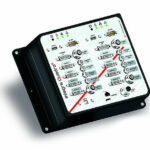
The new Markoprint Integra Quadro/Quadro² print controller can control up to four inkjet printers or four print positions at the same time. This allows you to print on both sides of primary and secondary packaging on one or two separate production lines. There are also two separate printing methods that can be used in this process.
The Markoprint Integra Quadro/Quadro² can easily cope with limited space thanks to its slender design. Installation inside or directly at the industrial line is straightforward thanks to the different fixation options. It was designed specifically for installation in control panels and machinery.
View ProductGeset 111 Top Labelling System
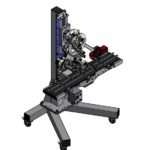
The Geset 111 labelling system is used to label square products on the top side automatically. Depending on the type and dimension of the product, different label sizes are used. The products are fed manually or by a conveying system provided by the customer at an infeed passage on the labelling system. Care should be taken on accurate alignment of the products. It is essential that the products are forwarded separately to the applicator with a gap between each other.
When the barrier is reached, an application trigger is tripped. The label applicator applies a label on the product in Wipe On procedure. The label on the top side is pushed on to the product by a brush or roller. After labelling, the products move on and can be removed from the conveyor by the customer.
View ProductZebra FS20 Fixed Industrial Scanner
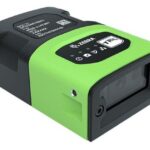
An Easily Integratable Scanning Solution
The increasing demands of international commerce and its global supply chain are pressuring companies to deliver more — and to do it faster. From manufacturing to logistics to the end customer, success is driven by the ability to quickly move and track the products that drive your business.
Address it all with the compact Zebra FS20 Fixed Industrial Scanner. With the FS20, it’s easy to track and trace every item as it moves through production, storage and fulfilment. Scan barcodes on components moving through your assembly line to ensure the right part is used at the right time — and enable rapid targeted recalls of products that contain defective parts. Scan barcodes on items as they are placed on warehouse shelves to provide visibility into real time inventory. And scan barcodes when fulfilling orders to ensure the right items are sent to the right customer. Whatever you want to track and trace, the FS20 makes it easy.
View ProductPLUSMARK – Premium Wax
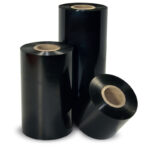
PLUSMARK is the high performance wax ribbon from Weber. It offers all
the benefits of a general purpose wax ribbon with an improved print durability
and a capability to print on synthetic label materials.











