

Model 5300 Series Pail/Drum Label Printer-Applicator
The fully-automatic system that quickly and accurately prints and applies labels to pails or drums on the production line.
• Fully automatic pail/drum labelling system
• Ideal for rough production conditions
• High-grade label printing in a single operation
• Prints and applies labels up to 7″ x 14″
• Labels up to 30 products per minute
• Print resolution up to 600 dpi
• All conventional data interfaces
• Service interval display
• Display controller for simple operation
• Easy integration
• CE certification
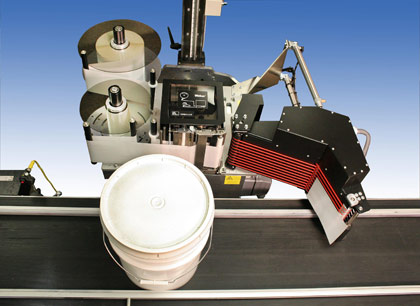
Model 5300 Pail/Drum Label Printer-Applicator
Weber has designed and engineered a unique label printing and application solution that features flexibility, quality and efficiency.

Weber’s Model 5300 Pail/Drum Labelling System quickly and consistently prints and applies perfectly positioned labels to the outer circumference of the product. It optimizes the product identification process to provide a positive impression on consumers, thanks to accurate label placement that ensures strong brand impact. The labels are applied straight and consistent every time.
The system prints top-quality labels up to 7″ x 14″ with very high-resolution text, bar codes and/or graphic images. The durable construction of this unique labelling solution makes it suitable for use in all sorts of production environments.
Pails or drums can be properly labelled even amid changing product identification requirements, and variable products and information can be accommodated without wasting labels. The Model 5300 Pail/Drum Labelling System is versatile enough to communicate via existing data controllers or interfaces.
Adobe Reader is required to open and view PDF files. This can be downloaded free from adobe.com.
Available Documents
5300Geset 117 Top and Bottom Labelling System
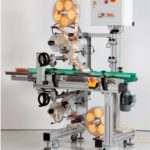
The Geset 117 labelling system is used to label square products on the top and bottom side automatically. Depending on the type and dimension of the product, different label sizes are used. The products are fed manually or by a conveying system provided by the customer at an infeed passage on the labelling system. Care should be taken on accurate alignment of the products. It is essential that the products are forwarded separately to the applicator with a gap between each other.
When the light barrier is reached, an application trigger is tripped. Both label applicators apply then in Wipe On procedure a label onto the product. The label on top side is pushed on the product by a brush or roller. The label on bottom side is pushed on the product by the self-weight of the product. After labelling the products move on and can be removed from conveyor by the customer.
View ProductMarkoprint Integra Vivid
Unleash the Power of Modern Touch Operating Technology and an Innovative Swipe User Interface. Say Goodbye to Complicated Print Jobs and Say Hello to Effortless Operation of X1JET and PP Class Printing Systems. With the Freedom to Position the 7” High-Resolution HMI Color Display Anywhere You Choose, Prepare to Be Awed by the Ultimate Printing Flexibility and Innovation. Upgrade to integra Vivid Today and Embrace a New Era of Printing Excellence.
View ProductMarkoprint Integra One

Labeling systems are not always easy to integrate into preexisting production lines. The Markoprint Integra One can be easily integrated into production processes thanks to its compact dimensions of 186 x 86 x 98 mm. The printing system has a display for data entry as well as system settings modification and verification. This information can also be viewed from mobile devices if the WLAN version is selected.
Inkjet printers should be properly protected if they are subjected to harsh manufacturing circumstances. In addition, the Markoprint integra One ip has an IP 65 protection rating. As a result, it’s ideal for use in the food industry.
View ProductMarkoprint NonStop Printing
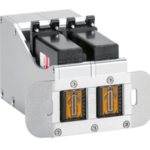
To enable continuous marking in ongoing production, our Markoprint NonStopPrinting printhead holds two alternately printing cartridges. Because the other ink cartridge is printing on the same position, each ink cartridge can be changed, cleaned, or serviced without pausing the machine.
An intelligent automatism prevents both cartridges from going empty at the same time. The first cartridge will always print two consecutive print jobs, taking turns with the second cartridge, which will only print one. This sophisticated automatism avoids both cartridges from running out at the same time. This will keep the ink from drying out in both cartridges. When the cartridge with the larger print volumes is empty, a warning will show, and the other cartridge will continue printing until it is replaced. The new cartridge will print the lower quantities to allow for you to replace the “older” cartridge. A sophisticated workflow that will boost your efficiency and productivity.
View Product