
Weber Alpha Compact Applicator
The new Alpha Compact label dispenser now sports a new design with increased performance and higher application rates and is even simpler to operate than its tested and proven predecessors. As always, this system applies quickly and accurately pre-printed labels onto products and packaging in conjunction with various applicator units. The newly integrated controller now renders the […]
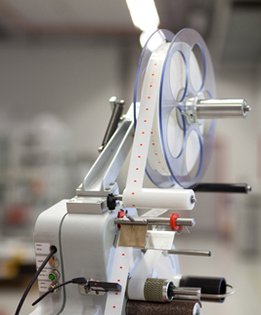
The new Alpha Compact label dispenser now sports a new design with increased performance and higher application rates and is even
simpler to operate than its tested and proven predecessors. As always, this system applies quickly and accurately pre-printed labels onto products and packaging in conjunction with various applicator units.
The newly integrated controller now renders the Alpha Compact particularly space-saving and optimal to operate. Using a conventional PC with USB interface, different labeling parameters as well as functions like start and stop, single label feed, speed control and sensor calibration can now be entered and stored in the Alpha Compact.
Data and information backup and convenient transfer of dispenser parameters to other Alpha Compact systems is truly simple now. The changeover of labeling orders in conjunction with system controller can now become automatic.
Unsupported connections to existing system controllers are also possible and provided. Stored parameters and jobs can be called up from extensive internal data storage and can also be edited and used for different labeling jobs. A second miniature controller enables 1:1 labeling and simulates the well-known Alpha series (2 rotary and 4 push buttons) input unit, proven a thousand times over.
Adobe Reader is required to open and view PDF files. This can be downloaded free from adobe.com.
Available Documents
Printer_Applicator_Solutionsweber-alpha-compact-product-sheet
Geset 111 Top Labelling System
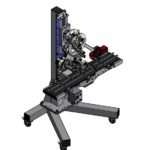
The Geset 111 labelling system is used to label square products on the top side automatically. Depending on the type and dimension of the product, different label sizes are used. The products are fed manually or by a conveying system provided by the customer at an infeed passage on the labelling system. Care should be taken on accurate alignment of the products. It is essential that the products are forwarded separately to the applicator with a gap between each other.
When the barrier is reached, an application trigger is tripped. The label applicator applies a label on the product in Wipe On procedure. The label on the top side is pushed on to the product by a brush or roller. After labelling, the products move on and can be removed from the conveyor by the customer.
View ProductZebra FS40 Fixed Industrial Scanner
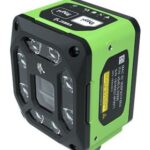
Enable Performance. Inspire Potential. Experience The Difference.
Today more than ever, the increasing demands of international commerce and its global supply chain are pressuring companies to deliver more — and to do it faster. From manufacturing to logistics to the end customer, success is driven by the ability to quickly move and track the products that drive your business.
Address it all with Zebra’s FS40 Fixed Industrial Scanner designed to meet the comprehensive requirements of today’s production and delivery processes. The FS40 easily keeps pace with the fastest moving operations, enabling track-and-trace through the automatic and flawless decode of information on every part and package as it moves through production, storage and fulfilment — capturing even the most challenging barcodes. The result? Best-in-class production, warehousing, distribution and logistics processes that inspire businesses to reach their highest potential.
View ProductMarkoprint Integra PP RAZR
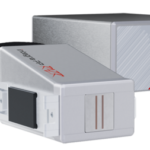
Experience Effortless High-Resolution Printing: Introducing the Integra PP RAZR with Cutting-Edge Technology. Print Up to 34mm High on Virtually Any Product Surface with Ease. Be Amazed by the Permanent Print Head’s Impressive Resolution, Lightning-Fast Speed, and Integrated Redundancy. Plus, its Compact Design Ensures Seamless Placement in Any Production Facility.
View ProductZebra FS20 Fixed Industrial Scanner
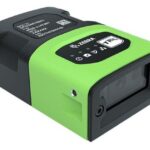
An Easily Integratable Scanning Solution
The increasing demands of international commerce and its global supply chain are pressuring companies to deliver more — and to do it faster. From manufacturing to logistics to the end customer, success is driven by the ability to quickly move and track the products that drive your business.
Address it all with the compact Zebra FS20 Fixed Industrial Scanner. With the FS20, it’s easy to track and trace every item as it moves through production, storage and fulfilment. Scan barcodes on components moving through your assembly line to ensure the right part is used at the right time — and enable rapid targeted recalls of products that contain defective parts. Scan barcodes on items as they are placed on warehouse shelves to provide visibility into real time inventory. And scan barcodes when fulfilling orders to ensure the right items are sent to the right customer. Whatever you want to track and trace, the FS20 makes it easy.
View Product