
MT2000 Series
Combines the simplicity of a scanner and the brainpower of a mobile computer in an ultra-ergonomic gun-style form factor.
The MT2000 series of mobile terminals offer highly flexible device capable of streamlining many scan-intensive business processes in a wide variety of industries—from the front to back door in manufacturing plants, retail establishments, warehouses, hospitals and more. The easy-to-use and affordable mobile terminal offers a unique hybrid design, functioning as both a scanner and a mobile computer throughout the business day. Its rugged ergonomic design ensures reliability in almost any environment.
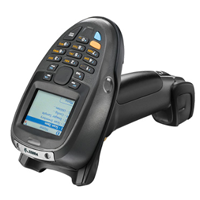
MT2000 Series Key Features and Benefits
Versatility and Value
- Eliminates need for separate bar code scanners, mobile computers, EAS deactivators and mobile RFID readers
- Entry level priced
- Compatible with Zebra’s flagship mobile device management solution, Mobility Services Platform (MSP)
- Service From the Start coverage available

Flexible Applications
- Preloaded with MCL client software
- Optional MCL designer software
- Microsoft.Net® framework
- Windows CE 5.0 operating system
Connectivity Options
- Bluetooth® technology for cordless connection to host device up to 300 feet away
- USB and RS-232 provides a flexible corded connection to host devices
- MT 2090 offers integrated 802.11 a/b/g for real-time direct application connectivity
- PCI compliant
Comprehensive Data Capture
- 1D laser scanner performs up to 50 inches away and on damaged and worn bar codes
- 2D imager captures 1D and 2D bar codes as well as signatures, images and video
- High speed scanning
- Checkpoint EAS compatibility
Rugged Ergonomics
- Same drop, tumble and temperature specifications as Zebra’s high-end rugged devices
- High resolution, high contrast QVGA Display
- Tempered glass exit window
- 21 key enhanced keypad
Adobe Reader is required to open and view PDF files. This can be downloaded free from adobe.com.
Available Documents
MT 2000 Spec SheetMarkoprint Integra One
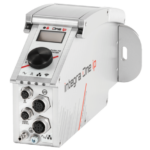
Labeling systems are not always easy to integrate into preexisting production lines. The Markoprint Integra One can be easily integrated into production processes thanks to its compact dimensions of 186 x 86 x 98 mm. The printing system has a display for data entry as well as system settings modification and verification. This information can also be viewed from mobile devices if the WLAN version is selected.
Inkjet printers should be properly protected if they are subjected to harsh manufacturing circumstances. In addition, the Markoprint integra One ip has an IP 65 protection rating. As a result, it’s ideal for use in the food industry.
View ProductGeset 141 Semi Automatic Label Dispenser
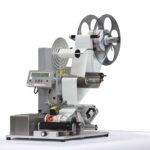
The Geset 141 semi-automatic all-round labelling system is used for labelling small tins, bottles, jars etc. This solution was developed especially for companies requiring flexible labelling of small batches. Classical applications include the pharmaceutical and cosmetics industry and the food and beverage sector.
View Product
Markoprint Integra One ip LX
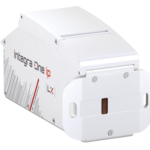
Unleash the Power of Proven Washdown Technology (IP Protection) for Seamless Performance in Complex and Demanding Applications. Experience High-Speed Printing and Effortless Operation with Up to 10 mm Print Distance. Discover Impressive Innovations, including a Patented Mechanism for Secure Ink/Printhead Unit Hold, Setting a New Standard in Printing Excellence.
View ProductMarkoprint ZTV HP
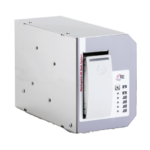
The Markoprint ZTV HP is a Central Ink Supply (CIS) system stores up to 400ml of ink for Markoprint HP Class inkjet printing systems such as the Markoprint integra One, Markoprint X2JET / X4JET, and Markoprint integra Quadro.
The large ink tank prevents frequent cartridge replacements from lowering your Overall Equipment Effectiveness (OEE). It can hold up to four single HP cartridges repaying you rapidly thanks to reduced ink prices. For non-interrupted production, the system can be paired with our NonStopPrinting printhead. Using an interface directly on the cartridge, current ink filling levels are monitored in real time. When the levels in the bulk tank fall below a certain threshold, a valve to the bulk tank opens and automatically refills it.
View Product