


Model 4300 Pro-Apply Tamp-Blow Label Printer-Applicator
Weber’s economical Model 4300 Pro-Apply printer-applicators feature the functionality often limited to higher-duty production systems.
• Applies labels up to 6″ wide x 6″ long
• Prints text, bar codes and graphic images @ 203, 300 or 600 dpi
• Non-contact, tamp-blow application
• Accurate labelling to within ±0.03″
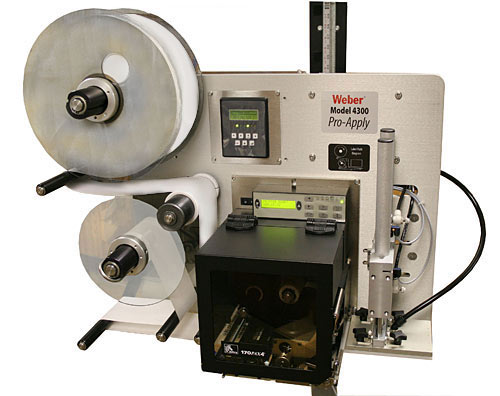
Model 4300 Pro-Apply Tamp-Blow Label Printer-Applicator
The Model 4300 Pro-Apply is a versatile in-line system that combines high quality label printing and application that ensures fast, accurate pressure-sensitive labelling.
The Model 4300 Pro-Apply system is designed and engineered by Weber and is assembled in our own U.S. manufacturing facility. Each unit is equipped with an on-demand, thermal/thermal-transfer print engine from Datamax, SATO or Zebra to produce 203, 300 or 600 dpi text, bar codes and graphic images at speeds up to 16 ips.
Labels up to 6″ wide and 6″ long are printed in a cost-efficient, next-out mode and are then instantly applied to cartons or products on the production or packaging line.

Utilising the tamp-blow method of application, a printed pressure-sensitive label is automatically peeled from its liner and is retained by vacuum on the applicator’s tamp pad. The pad is extended (select from 2″ to 12″ strokes) and blown onto the package from approximately 0.25″.
Several standard tamp-pad sizes are available and are provided in quick-change configurations. In just a few seconds the tamp-pad can be removed and another fastened in its place to handle a different size label.
Standard features include durable anodized aluminium construction, an integrated user interface with LCD display, and numerous inputs/outputs to facilitate the use of a product sensor or other optional accessories and stepper motor-driven rewind.
Adobe Reader is required to open and view PDF files. This can be downloaded free from adobe.com.
Available Documents
4300Zebra FS40 Fixed Industrial Scanner
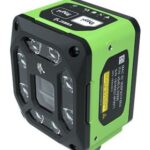
Enable Performance. Inspire Potential. Experience The Difference.
Today more than ever, the increasing demands of international commerce and its global supply chain are pressuring companies to deliver more — and to do it faster. From manufacturing to logistics to the end customer, success is driven by the ability to quickly move and track the products that drive your business.
Address it all with Zebra’s FS40 Fixed Industrial Scanner designed to meet the comprehensive requirements of today’s production and delivery processes. The FS40 easily keeps pace with the fastest moving operations, enabling track-and-trace through the automatic and flawless decode of information on every part and package as it moves through production, storage and fulfilment — capturing even the most challenging barcodes. The result? Best-in-class production, warehousing, distribution and logistics processes that inspire businesses to reach their highest potential.
View ProductZebra ZT510 Industrial Printer
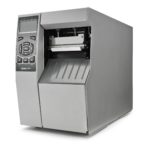
ZEBRA ZT510 – NEXT-GENERATION PRINTING THAT IS BUDGET-FRIENDLY
Designed to strike the ideal balance between performance and value, the Zebra ZT510 includes the core features you need in an industrial printer at a cost-effective price point.
View ProductMarkoprint Integra Ultimate
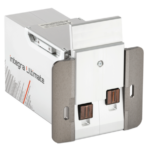
The innovative Integra Ultimate thermal inkjet printer not only provides IP65 protection against dust and moisture, but it also closes and cleans the nozzle plate at each pause. This system ensures that the printing is always clean, with faultless results even after extended breaks. As a result, the ink cartridges’ open times are multiplied many times. Two HP Class thermal inkjet ink cartridges can be used with the print head. As a result, the system produces beautiful prints with a maximum height of 25 mm.
View ProductULTRAPRINT – High durability resin
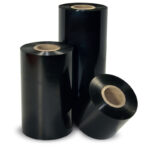
ULTRAPLATE is the standard resin ribbon from Weber. It is dedicated to
applications requiring a perfect printing quality and excellent mechanical
resistances. Its high versatility (it also prints on coated papers) and its
performances (sharpness, printing speed) have resulted in making
ULTRAPLATE a market reference.











