


Field Force/T&L

Adobe Reader is required to open and view PDF files. This can be downloaded free from adobe.com.
Available Documents
software-brochureGeset 117 Top and Bottom Labelling System

The Geset 117 labelling system is used to label square products on the top and bottom side automatically. Depending on the type and dimension of the product, different label sizes are used. The products are fed manually or by a conveying system provided by the customer at an infeed passage on the labelling system. Care should be taken on accurate alignment of the products. It is essential that the products are forwarded separately to the applicator with a gap between each other.
When the light barrier is reached, an application trigger is tripped. Both label applicators apply then in Wipe On procedure a label onto the product. The label on top side is pushed on the product by a brush or roller. The label on bottom side is pushed on the product by the self-weight of the product. After labelling the products move on and can be removed from conveyor by the customer.
View ProductZebra FS10 Fixed Industrial Scanner

A Quick & Compact Scanning Solution
The increasing demands on international commerce and its global supply chain are pressurising businesses to deliver more and deliver faster. From manufacturing to logistics to the end customer, success is driven by the ability to move quickly and track the products that drive your business.
Now you can address it all with the compact Zebra FS10 Fixed Industrial Scanner. With a slim profile, the FS10 fits easily everywhere you need scanning. Just plug the FS10 into the USB port of a workstation, laptop, tablet or any other host device to dependably capture barcode data, from assembly to storage and fulfilment.
View ProductMarkoprint ZTV HP
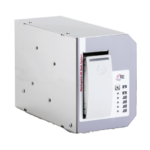
The Markoprint ZTV HP is a Central Ink Supply (CIS) system stores up to 400ml of ink for Markoprint HP Class inkjet printing systems such as the Markoprint integra One, Markoprint X2JET / X4JET, and Markoprint integra Quadro.
The large ink tank prevents frequent cartridge replacements from lowering your Overall Equipment Effectiveness (OEE). It can hold up to four single HP cartridges repaying you rapidly thanks to reduced ink prices. For non-interrupted production, the system can be paired with our NonStopPrinting printhead. Using an interface directly on the cartridge, current ink filling levels are monitored in real time. When the levels in the bulk tank fall below a certain threshold, a valve to the bulk tank opens and automatically refills it.
View ProductMarkoprint Integra Vivid
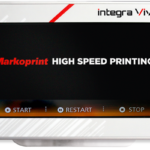
Unleash the Power of Modern Touch Operating Technology and an Innovative Swipe User Interface. Say Goodbye to Complicated Print Jobs and Say Hello to Effortless Operation of X1JET and PP Class Printing Systems. With the Freedom to Position the 7” High-Resolution HMI Color Display Anywhere You Choose, Prepare to Be Awed by the Ultimate Printing Flexibility and Innovation. Upgrade to integra Vivid Today and Embrace a New Era of Printing Excellence.
View Product










