


Zebra GK420
Zebra’s GK™ Series and GT800 desktop printers combine dependable printing with fast print speeds and network manageability. With their easy-to-use design, Zebra’s advanced desktop printers enable you to improve operational efficiencies.
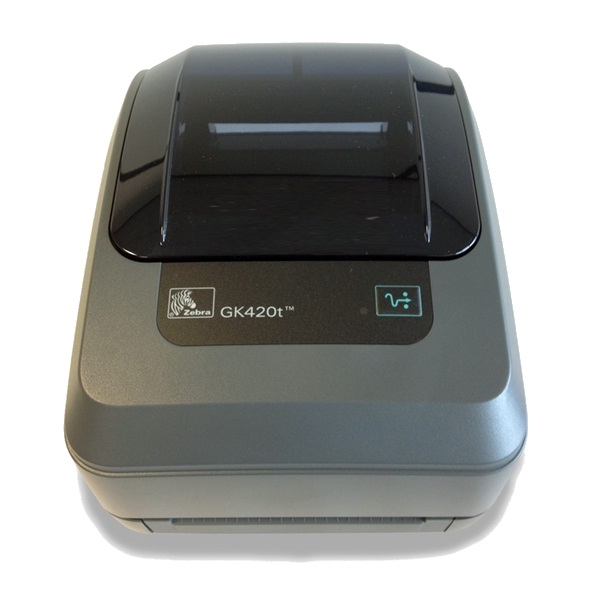
DEPENDABLE PERFORMANCE TO IMPROVE OPERATIONAL EFFICIENCIES
The top selling desktop printer in the world, the GK420 provides a proven design and long term dependability. Both the GK420 and GT800 printer models are a top choice for a variety of mid-volume and distributed-printing applications to reliably produce quality text, barcodes or graphics.
FLEXIBLE.
The GK420 offers USB, Parallel and Serial connectivity interfaces and easy upgrades with both the ZPL and EPL programming languages. The GT800 printer supports both 300 Metre and 74 Metre ribbon capacities — without the need to change settings for different ribbon lengths. The GK420 Healthcare printer is available in the healthcare colour palette designed specifically for sterile environments.
EASY TO USE
The intuitive design of the GT800 and the GK420 printers combines a choice of three connectivity interfaces and optional 10/100 Ethernet, co-resident EPL2 and ZPL II programming languages and Unicode to ensure quick and efficient integration. The GK420 offers direct thermal only models for simplicity and cost savings.
Adobe Reader is required to open and view PDF files. This can be downloaded free from adobe.com.
Available Documents
Zebra_G-SeriesGK 420 Datasheet
Zebra FS10 Fixed Industrial Scanner
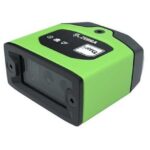
A Quick & Compact Scanning Solution
The increasing demands on international commerce and its global supply chain are pressurising businesses to deliver more and deliver faster. From manufacturing to logistics to the end customer, success is driven by the ability to move quickly and track the products that drive your business.
Now you can address it all with the compact Zebra FS10 Fixed Industrial Scanner. With a slim profile, the FS10 fits easily everywhere you need scanning. Just plug the FS10 into the USB port of a workstation, laptop, tablet or any other host device to dependably capture barcode data, from assembly to storage and fulfilment.
View ProductMarkoprint Integra Ultimate
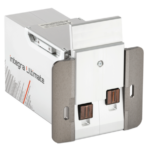
The innovative Integra Ultimate thermal inkjet printer not only provides IP65 protection against dust and moisture, but it also closes and cleans the nozzle plate at each pause. This system ensures that the printing is always clean, with faultless results even after extended breaks. As a result, the ink cartridges’ open times are multiplied many times. Two HP Class thermal inkjet ink cartridges can be used with the print head. As a result, the system produces beautiful prints with a maximum height of 25 mm.
View ProductMarkoprint ZTV HP
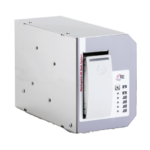
The Markoprint ZTV HP is a Central Ink Supply (CIS) system stores up to 400ml of ink for Markoprint HP Class inkjet printing systems such as the Markoprint integra One, Markoprint X2JET / X4JET, and Markoprint integra Quadro.
The large ink tank prevents frequent cartridge replacements from lowering your Overall Equipment Effectiveness (OEE). It can hold up to four single HP cartridges repaying you rapidly thanks to reduced ink prices. For non-interrupted production, the system can be paired with our NonStopPrinting printhead. Using an interface directly on the cartridge, current ink filling levels are monitored in real time. When the levels in the bulk tank fall below a certain threshold, a valve to the bulk tank opens and automatically refills it.
View ProductEASYMARK – Standard Wax
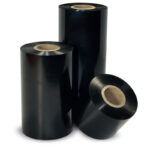
EASYMARK is the standard Weber wax ribbon which delivers consistent print
quality on any kind of paper label materials. It prints high density legible
barcodes and traceability data for short life labeling needs.











