


Epson C7500 High-Speed Inkjet Colour Label Printer
The Epson C7500 inkjet label printer is a fast, full-colour label printer whose rugged design allows minimal maintenance, low cost of ownership, and is ideal for busy, on-demand labelling environments.
The Just-in-Time Colour printing lets you print the labels you need, when you need them, quickly and economically. The C7500 uses durable inks that won’t smudge, smear or fade. And the highly durable labels are up to 50% lower in cost than laser or thermal-transfer printed labels.
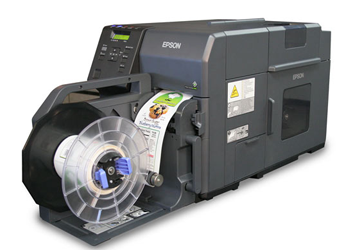
Features include:
• PrecisionCore TFP printing with Nozzle Verification Technology
• BS-5609 certified for durability
• Prints labels up to 4.1″ wide
• Uses high-yield ink cartridges that are easy to change
• Fast print speeds of up to 11.8″ per second
• Optional label rewinder for distributed applications
High-speed colour label printing
If you are looking for high-speed, in-house on-demand colour label printing, the Epson C7500 is for you. With durable smudge-resistant inks, this printer can crank out labels at up to 11.8″ per second.
Its astounding image quality is a result of the PrecisionCore inkjet technology that Epson uses to deliver precise barcodes and ultra-sharp text. And the built-in Nozzle Verification technology constantly checks for clogged nozzles and halts printing to clean nozzles when needed.
The highly efficient printer uses high-yield ink cartridges so there are fewer interruptions and less down-time during print cycles. The ink cartridges are easy to replace and a lot simpler to use than thermal-transfer ribbons or laser toner. The C7500 is up to 50% lower in printing costs versus laser or thermal-transfer printers printing the same labels.
With the built-in ESC/Label language capabilities, you can use the printer with your existing workflows and even add colour with simple programming extensions.
Adobe Reader is required to open and view PDF files. This can be downloaded free from adobe.com.
Available Documents
Epson C7500 High-Speed Inkjet Colour Label PrinterGeset 111 Top Labelling System
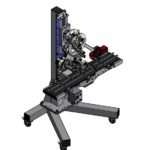
The Geset 111 labelling system is used to label square products on the top side automatically. Depending on the type and dimension of the product, different label sizes are used. The products are fed manually or by a conveying system provided by the customer at an infeed passage on the labelling system. Care should be taken on accurate alignment of the products. It is essential that the products are forwarded separately to the applicator with a gap between each other.
When the barrier is reached, an application trigger is tripped. The label applicator applies a label on the product in Wipe On procedure. The label on the top side is pushed on to the product by a brush or roller. After labelling, the products move on and can be removed from the conveyor by the customer.
View ProductX1Jet HP Premium MK2
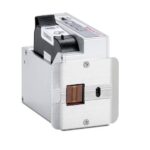
The innovative Markoprint X1JET HP inkjet printer codes absorbent and semi-absorbent surfaces quickly, accurately and reliably. It is designed for a different range of applications in the food and beverage industry as well as the chemical and pharmaceutical industry. The controller and printer are combined in one single unit, making the system extremely compact.
View ProductMarkoprint ZTV HP
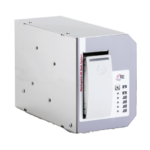
The Markoprint ZTV HP is a Central Ink Supply (CIS) system stores up to 400ml of ink for Markoprint HP Class inkjet printing systems such as the Markoprint integra One, Markoprint X2JET / X4JET, and Markoprint integra Quadro.
The large ink tank prevents frequent cartridge replacements from lowering your Overall Equipment Effectiveness (OEE). It can hold up to four single HP cartridges repaying you rapidly thanks to reduced ink prices. For non-interrupted production, the system can be paired with our NonStopPrinting printhead. Using an interface directly on the cartridge, current ink filling levels are monitored in real time. When the levels in the bulk tank fall below a certain threshold, a valve to the bulk tank opens and automatically refills it.
View ProductZebra FS10 Fixed Industrial Scanner
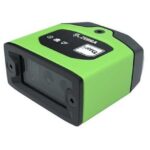
A Quick & Compact Scanning Solution
The increasing demands on international commerce and its global supply chain are pressurising businesses to deliver more and deliver faster. From manufacturing to logistics to the end customer, success is driven by the ability to move quickly and track the products that drive your business.
Now you can address it all with the compact Zebra FS10 Fixed Industrial Scanner. With a slim profile, the FS10 fits easily everywhere you need scanning. Just plug the FS10 into the USB port of a workstation, laptop, tablet or any other host device to dependably capture barcode data, from assembly to storage and fulfilment.
View Product










